

 In providing users with services, the Library particularly focuses on cooperation between information users and Library staff in creating a clear and user-friendly information infrastructure for learning, studies, and research. Library users will find a wide range of services, from book borrowing and reservation of study spaces to consulting on research topics.
Information services
User Registration
A student card for VU students and an employee card for VU employees ensure access to the Library services without any additional registration.
An International Students Card (ISIC) is not valid in the Library. VU students must obtain Lithuanian Student Identity Card (LSIC).
External users
All citizens aged 16 or over can become registered users of the Library.
Registration:
- issues personalized user card;
- the user is registered for a year;
- let users to use the Library computers, wireless internet, and special software;
- allows entrance to both, the Central Library (Universiteto str. 3) and the Scholarly Communication and Information Centre (Saulėtekio ave. 5);
- gives access to the Library’s printed and electronic resources through VU network, allows borrowing of fiction;
- gives an opportunity to use the Library spaces;
- registration can be extended;
- extended registration does not imply issuing a new user card.
- if the user card is lost, 5 euro fee is charged;
- after the expiration of the registration, the user's computer profile ( documents, files, photos) is stored for two months. After a two month period, the profile is deleted. Renewing the registration creates a new profile.
For more information on Library services consult the staff at the information desks. You can register at the Information Desk (Central Library), at the Information Desk (Scholarly Communication and Information Centre) or the Information Desk (Šiauliai Academy Information Centre)
You will need to present your ID card for the registration.
Loans
The Virtual Library is the best place to start your search for a book. If you are looking only for printed resources, select “Books, journals, manuscripts” in the search box “Library resources”. Virtual Library Help>>
Once you have found an item you are looking for, first of all note the reading room it is kept in.
If you are going to read on the weekend, items should be ordered in advance. The ordered items will be kept in the appointed reading room for three days.
Items in the open stacks are freely available.
The Virtual Library provides information on all items held in the Library, which were published after 1993. The Virtual Library contains information on all items kept in the open stacks as well as high demand items published before 1993. Low demand items published prior to 1993 can be found in the Library’s Digital Cards' Catalogue.
Open stacks. Items marked with green stickers are for borrowing and the rest of the items are for use in the reading rooms only.
- Read wherever you want. You can bring along books and journals from one reading room to the other and read them wherever you want.
- The arrangement of items. The items are arranged according to subjects and sections and within the section according to the alphabet. After finding the item in the Virtual Library, you need to note its call number, for example, 36 Te-56. It means that the item is placed in the section 36 under the letter T. Each section is arranged in the following order: primarily goes items in Lithuanian language (from A to Ž), further goes items in English and Russian alphabets. Depending on the type of the reading room, there can be items in other languages, for example, Arabic, Hindi.
- After you have taken an item from a shelf, do not put it back by yourselves. Please take items you have been using to a trolley standing next to the shelf. Librarians maintain order on the shelves and that help users to find items.
Borrowing
The loan status of an item is indicated in the section “Locations and Requests” of the Virtual Library. Some items are to be read in the reading rooms only, the others have a certain loan period varying from 1 day to 6 months. Loan periods are usually determined by the librarians. Users cannot change them by themselves.
External users can borrow items marked with green stickers as well as fiction books with one-month loan period which are located in the Leisure Reading Room and all items (even those without green stickers) in Czesław Miłosz Reading Room.
If you want to borrow an item, first of all find its call number in the Virtual Library, for example 1/Pl-31.
In accordance with the call number, find the item in the open stacks of the reading rooms located in the Central Library and the SCIC. If the item is in the faculty or centre library, ask the librarian for help.
Items from the faculty or centers' reading rooms can be borrowed with the help of the librarian working in these libraries.
You can borrow the books marked with green stickers at the Central Library and the SCIC using self-service facilities.
If you experience any problems, please contact librarians working in the nearest reading room or at the Information Desk.
VU employees and students can borrow up to 99 items, whereas external users can borrow up to 10 items. Users are allowed to borrow only one copy of the same title.
Publications requests
• Publications from the SCIC storage;
• Publications from CL storage;
• Fiction from The Leisure and Czesław Miłosz reading rooms can be requested only when the requested book is already borrowed so, by placing a request on the borrowed book, user stands in line to borrow the book after it will be returned.
• There is no possibility to request books from open stacks. You can borrow publications from the open stacks (that is publications from the remaining reading rooms) only in person when you come to the library.
What publications can be requested from ŠAIC?
• Only publications with “Loans Desk” as the indicated place of storage can be borrowed for a semester, a month or two weeks.
• Fiction with “Fiction Loans” as the indicated place of storage can be borrowed for a month.
• Registered users can borrow and return books from fiction open stacks of ŠAIC by themselves using a self-service machine. You cannot place a request in advance or extend a loan period for publications from this collection via Internet.
• Books from the other ŠAIC reading rooms (Arts, Periodicals, Šliūpas Archive and Rare Books, Universal reading rooms) are not for borrowing.
• Loan periods of borrowed books can be extended via Internet without any limits as long as borrowed publications are not requested by other users.
How to place a request for a publication?
- Log in to your Virtual Library account.
- Make sure that the publication can be requested: check the publication’s place of storage in the section “Locations” of the Virtual Library.
- If the book meets the criteria, click the button “Send request” and select a pickup location from the provided list.
When and how can you take the requested publications?
• Publications are being fetched from the storage on working days from 9 a.m. to 6 p.m.
• Publications are fetched to pickup locations every hour, that is at 9 a.m., 10 a.m., 11 a.m. ect.
• In the pickup locations, on the shelf “Requests from the storage” requested publications are kept for 3 days.
• Requested publications are placed on the shelf according to user card’s number in ascending order. Users will find a request slip in the requested book. They have to indicate until when they want to read the book there.
Returning
Please, return items to the same library where you have borrowed them.
Items from reading rooms of faculties and centres should be handed over to the librarian working in these libraries.
Items borrowed from the SCIC can be returned at any time using self-service facilities installed inside and outside the building. The self-service device is located by the main entrance to the Scholarly Communication and Information Centre. If you want to return items from the outside, place your user card on the square indicated on the glass (watch your user card carefully that it would not slip out of your hand). When the door opens, you should place the borrowed items one at a time.
You can return items with the self-check in device at the Central Library during its working hours. The device is located by the Information Desk on the 1st floor. User card is not necessary. Place the borrowed items one at a time.
Renewing the loan
You can renew only the items with a one-month lending period. It can be done via your personal account in the Virtual Library.
Items with other than one-month lending period ought to be returned on time. These items cannot be renewed.
Fines for overdue items
Fines will be incurred for items that are returned or renewed late:
- 0,03 € per day for one-month or longer lending period
- 0,09 € per day for shorter than one-month lending period
Fines are charged immediately an item is overdue and continues to increase until the item is returned. Fines are calculated only after the overdue items have been returned to the Library.
When the fine exceeds five euros, the option to borrow items for home is automatically blocked. It can be reactivated only when the fine is reduced and does not exceed five euros.
You can check the list of borrowed items, due dates and fines for the overdue items via your personal account in the Virtual Library.
Fines can be paid in all service points of the library.
Accessibility for people with disabilities
The staff of Vilnius University Library is always ready to help you. If you have any questions regarding accessibility of the Library services, have any suggestions concerning services provided or you personally need help in the Library, please contact us by email or by phone +370 5 2195051.
Accessibility of services for people with mobility disabilities
Scholarly Communication and Information Centre (SCIC)
The SCIC is located in the newly erected (2013) building and its premises are designed to meet the needs of all users:
The spaces between the shelves and desks, entrance doors to toilets, rooms for group work, seminar rooms are wider than 80 centimetres. The floor of the entire building is on one level, part of the floor is made of concrete (atrium), and reading room floors are covered with a carpet.
Both Leisure and Law reading rooms have height-adjustable tables. Self-service facilities as well as information terminals are height-adjustable.
Each floor has toilets for users with special needs. They can reach every floor with the help of the lift.
Users with special needs are provided with the possibility to order the following computer accessories:
- Special computer mouse Traxsys Roller Joystick II designed for people with motoric impairment
- Special computer mouse Traxsys RollerII, which operates the same way as an electronic wheelchair
On all issues related to assistive technologies for physically disabled, please contact librarians working at the Information Desk of SCIC by phone +370 5 219 5051 or by email .
Central Library
The Central Library is situated in the unique architectural ensemble of the 16th century; therefore, its premises have many stairs, narrow passages and doors. We do our best to those with disabilities through the help of our Library staff. If you want to place a request for a publication, please contact a librarian working in the reading room via email or by phone who would offer the best possible option to get the publication: to send the document to your home, to fetch the document to the selected place or to send a copy of the document to your email.
Contacts of the staff working in the reading rooms of the Central Library you will find in here.
The Philosophy and Lithuanian Studies reading rooms are equipped with height-adjustable tables and ergonomic chairs.
Self-service devices and information terminals located in the Central Library are height-adjustable as well.
On all issues related to assistive technologies for physically disabled, please contact librarians working at the Information Desk of the Central Library by phone +370 5 268 7147.
Virtual tour
Virtual tour gives a possibility for users to virtually familiarise themselves with the spaces of both the Central Library and the Scholarly Communication and Information Centre of Vilnius University Library.
Assistive technologies for visually impaired Library users
Scholarly Communication and Information Centre (SCIC)
Braille's Room at the Life Sciences Reading Room is designated for visually impaired Library users. Braille's Room has a text recognition and reading device SARA CE and a computer with 40 square electronic Braille device supplied with an integrated keyboard Esys 40, Braille printer Braille Ebosser Everest-D V4 with an acoustic booth and a scanner. The computer is supplied with the following software:
- Screen magnifier SuperNova Magnifier
- Digital talking book player EasyReader
- Software for file conversion EasyConverter
- Converter into Braille
- Screen reading programmes JAWS 18 and NVDA (Non Visual Desktop Access)
- text-to-MP3 converter Balabolka
- Microsoft Office 2003 with compatibility package.
The tactile device Zyfuse, an innovative heater, is used to produce tactile diagrams on paper.
Braille’s Room can be booked in advance via Workplace reservation system or at the Information Desk upon the arrival at the Library.
The portable video magnifier Aumed AUMAX-LCD-19 is available at Leisure Reading Room.
Electronic portable magnifiers Aumed AUKEY Ultra-Portable Video Magnifier can be borrowed at the Information Desk.
Users with special needs are provided with the possibility to order the following computer accessories:
- Keyboard for visually impaired High Contrast Keyboard
- Crick USB Switch Box for connecting several assistive devices to the computer
On all issues regarding assistive technologies for visually impaired in the SCIC, please contact librarians working at the Information Desk by phone +370 5 219 5051.
Central Library
Electronic portable magnifiers Aumed AUKEY Ultra-Portable Video Magnifier can be borrowed at the Information Desk.
Copy/Print room has a text recognition and reading device SARA CE and a computer connected to Braille printer Braille Ebosser Everest-D V4 with acoustic booth and a keyboard for visually impaired High Contrast Keyboard. The computer is supplied with the following software:
- Screen reading programme Dolphin Super Nova Magnifier
- text-to-MP3 converter Balabolka
- Microsoft Office 2003 with compatibility package.
The stationary screen or text magnifiers TOPAZ XL XD 24 are situated in Copy/Print Room and Manuscript Reading Room.
On all issues related to assistive technologies for visually impaired, please contact librarians working at the Information Desk of the Central Library by phone +370 5 268 7147.
Kaunas Faculty
Kaunas Faculty Reading Room has a text recognition and reading device SARA CE and a computer connected to Braille printer Braille Ebosser Everest-D V4.
The computer is supplied with the following software:
- Screen magnifier SuperNova 13.51
- Reading app for dyslexia, low vision and blindness Dolphin Easy Reader 04
- text-to-MP3 converter Balabolka
- Reader for Daisy Books FSReader 2.0
On all issues regarding assistive technologies for visually impaired at the Kaunas Faculty Library, please contact librarian of the Kaunas Faculty Viktorija Mačiulytė by email or by phone +370 37 202627.
Šiauliai Academy Information Centre
Members of VU community, students, and citizens of Šiauliai city and district are welcome to use the following facilities:
The high-quality text magnifier Smart View 360 with the help of which there is a possibility to change both the type and the colour of text background depending on the specificity of visual perception;
The text reading software Dolphin Easy Converter with a sound synthesizer;
The relief printer Zyfuse, a device which, by means of heating embosses lines, figures, shadows or other objects on the microcapsule paper makes them tangible for people with visual impairments.
The image magnifying system with the text reading function Vocatex Plus 27.
All these facilities were donated to Šiauliai Academy Information Centre (the then Šiauliai University Library) by Šiauliai Rotary Club “Saulė”.
On all issues regarding assistive technologies for visually impaired at Šiauliai Academy Information Centre, please contact librarians working at the Information Desk by phone +370 41 595 706 or by email:
Fetching of requested publications to the selected [University] location
Members of VU community with mobility disabilities, special disorientation or other similar problems may place a request for publications necessary for study or leisure from any reading room of the Library. The requested publications will be fetched to the desired place of the university, which is suitable for the user with mobility disabilities for picking up.
For fetching requested publications, please contact the subject librarian of your faculty.
Ordering adjusted copy of publication
Members of VU community that cannot read an ordinary text (users with visual impairment or those having learning difficulties or other problems) may order an adjusted copy of the publication from the University Library holdings. An adjusted copy of publication is a digitised document that is presented in PDF format and processed with OCR, i. e. Optical Character Recognition technology, which is recognized by the majority text reading devices.
For ordering an adjusted copy of the publication, please submit an inquiry via email by presenting bibliographic data of the publication (author, title, publication date). Your inquiry will be dealt with within one week depending on the busyness of the staff.
Please note that after receiving your inquiry, a librarian may ask you to present documents proving your right to get such copy.
Other useful information
Lithuanian Audiosensory Library https://www.labiblioteka.lt/
ELVIS https://elvislab.lt/ Virtual catalogue of Lithuanian Audiosensory Library
Bookshare https://www.bookshare.org/search is a library of e-books intended for people who cannot read an ordinary text.
RoboBraille https://www.robobraille.org/ is a free online tool converting documents into files accessible for people who cannot read an ordinary text such as mp3, DAISY (including Lithuanian), EPUB, DOC, HTML et al.
Ordering Lithuanian sign language service https://www.vertimaigestais.lt/informacija-uzsakymams/
Offer a book
You are welcome to offer purchasing books that are necessary for your studies and research. Decision whether to acquire offered book will be made by librarians experts with regard to Library's Collections Development Policy. Please fill in the form here
Interlibrary Loans
If the user does not find necessary material in VU Library collections he/she may order publications or copies of articles from other Lithuanian libraries or libraries abroad (only Europe). This service is provided only in Central Library (Universiteto str. 3). This is a paid service and at the request of the sending library, shipping costs and copying service fees are to be paid by the user.
Book ordering
- After submitting your request for a particular book, the librarian will contact you through e-mail and will provide you with information on the price of the service and lending possibilities;
- Due date to return the book will be given by the sending library.
- Encyclopedias, manuals, dictionaries etc. cannot be borrowed
- Periodicals cannot be borrowed. Users can order copies of articles.
To order a book or copy of article, please fill in the following form:
| Users | Libraries |
| Book order form | Book order form |
| Article order form | Article order form |
Books received via interlibrary loan are to be read only in Central Library Professors' Reading room. They cannot be borrowed.
Prices
Formula to calculate the price: administration fee + postage costs + book lending/article copying
|
Borrowing from other libraries |
Lending to other libraries |
|||
|
Lithuanian |
Foreign |
Lithuanian |
Foreign |
|
|
Administration fee |
€3 |
€3 |
||
|
Sending and returning from other libraries |
Current postage rates |
|||
* Copies of articles ordered from other foreign and Lithuanian libraries and information agencies are to be paid according to the invoices.
For the borrowed books from other foreign and Lithuanian libraries users have to pay according to the invoice presented by the lending library, plus the costs for book ordering and returning (in accordance with the current postage rates of the Republic of Lithuania).
Ways of payment:
for the Interlibrary loan services users can pay by debit or credit card at the Information Desk (Universiteto g. 3, 1st floor).
F.A.Q.
How long does it take to deliver a book from a foreign library?
Delivery of a book may take anywhere from two weeks to one month.
How long does it take to deliver an article?
The delivery from other libraries may take anywhere from two weeks to one month.
How much does one usually pay for a book when ordering it from foreign libraries (including postage)?
Generally, the price – including the lending fee and postage – starting from 17,00 € to 25,00 €.
Do libraries always require payment for services provided?
Not always; in those cases one will be charged for postage only.
How much does it cost to order books to the Kaunas Faculty of Humanities Reading Room and Šiauliai Academy Information Centre?
Books are delivered free of additional charges.
Contacts
Interlibrary Loan (Lithuania):
Librarian Joana Bartkevičienė
Philology Reading Room
Universiteto g. 3, LT-01122 Vilnius
Phone: (05) 2 68 7109
Fax: (05) 2 68 7104
Email:
International Interlibrary Loan:
Senior Librarian Rita Gruodytė
Philology Reading Room
Universiteto g. 3, LT-01122 Vilnius
Phone: (05) 2 68 7109 or (05) 2 68 7124
Email:
Other services
Study Spaces Booking
At the Central Library users can book study spaces in the White Hall, Professor’s Reading Room or Room for Individual work B4. Study space can be booked for a certain period of time starting from one hour and ending with 48 months. Bachelor’s and Master’s students can book an individual study space for not more than seven days. VU researchers, professors and doctoral students can book study spaces for a longer period.
There are 34 rooms for individual work at the SCIC. These rooms are very popular during the exams period so it is advisable to make bookings in advance at the beginning of a semester. Rooms for individual work can be booked only by the members of VU community. Bachelor’s or Master’s students can book a Room for Individual Work for not more than seven days. Doctoral students, researchers and lecturers/professors can book a Room for Individual Work for up to half a year.
You can also book individual study spaces in the IT laboratory. Eight study spaces have PCs with the special software: AutoCAD LT 2024 Education (only for students), SPSS v29, Adobe Creative Cloud All Apps 2023, Sony Vegas Movie Studio Platinum 12.0, Sound Forge Audio Studio 10.0, DVD Architect Studio 5.0, SolidWorks Education Edition 2012, OriginPro Academic 9.0, Matlab 2023b. The entire IT laboratory can be booked by VU Library users only for a short period of time – from one hour to 24 hours.
At SCIC you can book 7 chat rooms that are arranged in Communication, Law, Economics, Business, Leisure, Technology and Physical Sciences reading rooms. Chat rooms can be reserved here (duration of the reservation up to 2 hours, if the room is not occupied, no reservation is necessary).
At Šiauliai Academy Information Centre it is possible to book the Room for Individual Work 313 (II).
Please, note that if you want to book an individual study space for a longer than a week period, you ought to use more than 40 percent of a provided booking time (there is a shortage of individual study spaces, so they have to be used efficiently).
A provided booking time for a study space expressed in hours per week:
White Hall – 45 hours; summer vacation – 40 hours;
Professors’ Reading Room – 62 hours, summer vacation – 40 hours;
SCIC – 62 hours; summer vacation – 40 hours.
For more information please see Individual study spaces, premises and equipment: rules for usage.
Group work rooms
For carrying out discussions and debates focusing on research issues, the Library offers rooms for group work at the SCIC. The rooms have a seating capacity of 4 to 8 people.
At Šiauliai Academy Information Centre it is possible to book the Room for Group Work 207.
Each booking can last from an hour or several hours to the whole day. Only members of VU community can use the rooms. The service is provided free of charge. If the room for group work is free, users are free to use it without prior booking.
For more information, please see Individual study spaces, premises and equipment: rules for usage.
Seminar rooms
You are welcome to deliver your lectures, seminars or trainings in the SCIC seminar rooms.
The SCIC seminar rooms are provided for the fixed rent prices.
Seminar rooms can be booked via booking system.
For more information, please see Individual study spaces, premises and equipment: rules for usage.
Conference hall
The SCIC is a perfect venue for the national and international research conferences, meetings, symposiums, and other events of grand scale. The modern Conference Hall has a seating capacity of 250. The space of the hall can be separated into three areas. The hall is equipped with booths for simultaneous translation and technical support, 3 stationary projectors, and an interactive speaker’s monitor.
For more information, please contact
Equipment
Each reading room provides study spaces with computers and Internet access (including wireless access).
All those with user card are welcome to use computers.
Members of VU community log in to the Library computers with your username and personal password.
External users will be granted access to the Library’s computer network after they have been registered.
The Library has several computers for the blind and visually impaired.
Computers, software
Most of VU Library computers have the standard software, such as MS Windows 10 (in English), MS Office 2021 (in English), English-Lithuanian and Lithuanian-English online dictionary Alkonas, Adobe Reader, VLC player, Mendeley Desktop, Zotero, Adobe Digitals Edition, internet browsers and other.
Special software at the SCIC:
- SPSS – after you have logged in, choose “Lankytojai (su SPSS paketu)”. The software allows 25 accesses at a time. Therefore, after using the software, please do not forget to log off.
- AutoCAD – IT laboratory (2 places);
- OriginPro 9.0 – IT laboratory (4 places);
- Adobe Creative Cloud All Apps 2023 – IT laboratory (2 places), A213 seminar room (12+1 places) in the Communication Reading Room;
- Matlab – IT laboratory (4 places);
- SolidWorks – IT laboratory (4 places), A213 seminar room (12+1 places) in the Communication Reading Room;
- Sony Vegas Movie Studio Platinum 12.0 – IT laboratory (2 places), A213 seminar room (12+1 places) in the Communication Reading Room;
- Sound Forge Audio Studio - IT laboratory (2 places);
- Sony DVD Architect Studio 5.0 - IT laboratory (2 places);
- SPSS - IT laboratory (4 places)
Special software at the Central Library:
- SPSS: Philosophy Reading Room, Historical Sources Reading Room and Lithuanian Studies Reading Room after logging in, choose “Lankytojai (su SPSS paketu)”. The software allows 25 accesses at a time. Therefore, after using the software, please do not forget to log off;
- Morphological dictionaries of ancient and modern Greek – Lithuanian languages – Philosophy Reading Room.
The software for the blind and visually impaired is also available in the Library.
Equipment loan
At the information desks of both SCIC and Central Library, registered users of VU Library can borrow various equipment to use at the library*. This includes:
- headphones;
- external CD-DVD drives;
- external memory card readers;
- electronic magnifiers (also in the reading room of Kaunas Faculty);
- negative film holders;
- marker pens for magnetic whiteboards (only in SCIC);
- USB cable for mobile devices;
- multifunctional audio book media players. For people who are visually impaired. (also in the Šiauliai Academy Information Centre)
Central Library and SCIC VU Library community members also have the opportunity to book a lockable cube or locker for their personal belongings.
When borrowing equipment, users agree to follow Rules of using booked workplaces, workspaces and equipment.
* The equipment is loaned only for use in library premises; it cannot be taken outside library’s territory.
Wireless internet

Members of VU community can get an access to EDUROAM by setting up the device in accordance with the EDUROAM instructions.
External users with the Library user card are also welcome to access wireless network “biblioteka” (device has to be set up in accordance with the EDUROAM instructions).
All users can access wireless network provided by the reading rooms at the Central Library.
Library staff is not responsible for setting up your personal devices to work within the Library’s wireless access.
Wireless network configuration
The following instructions show you how to configure “biblioteka” wireless network in Microsoft Windows Vista, 7, 8 (8.1) or 10 using standard wireless network configuration tools (in different Windows versions some steps may vary slightly.): INSTRUCTION
Important! If you are using a non-standard wireless network configuration tools, the procedure may differ. We recommend you to use the standard Windows wireless network configuration environment.
Photocopying, printing, digitizing and binding
f you need to print your papers, copy a chapter of a book or to scan your work-book, you are welcome to use multifunctional devices, scanners or copy stands of the Library. For users with special needs the Library provides software for file conversion, Braille printer and electronic magnifier.
Printing and copying
You can print your documents from any stationary computer and multifunctional device of the Library. If you want to print a black and white document, choose the option Nespalvotai / Monochrome; if you wish to print a color document, choose Spalvotai / Color. Multifunctional devices offer a wide range of options such as black and white or color copying and printing, as well as printing from a USB drive.
As the services are not free of charge, users are expected to fill their accounts with copying credit, minimal amount - 20 ct. Fill your virtual account at the Medicine and Geosciences Reading Room, Kaunas Faculty Reading Room, the Information Desk of the SCIC, Central Library’s Information Desk or Šiauliai Academy Information Centre (ŠAIC) Information Desk
Log in to the multifunctional devices using your e-identity info: number of the user card and password.
If you log in to your account at print.vu.lt, you can check your account balance, history of recent print jobs, generate an ID number or administrate other functions of the printing service. For more information please see the instructions:
Instruction (PDF): here
Instruction (video): here
Prices
- A4 black and white – 0,04 €
- A4 colour – 0,65 €
- A3 black and white – 0,08 €
- A3 colour – 1,30 €
Multifunctional devices of the Central Library and SCIC are located in the Copy Rooms. One of the multifunctional devices can also be found in the Medicine and Geosciences Reading Room and Kaunas Faculty Reading Room. Multifunctional devices of the ŠAIC are located in the Universal, Periodicals and Arts reading rooms.
Copying of rare, unique documents of the 19th century
- A4 black and white – 0,25 €
- A4 colour – 0,45 €
- A3 black and white – 0,90 €
- A3 colour – 1,50 €
Doctoral dissertations:
- Defended before the year 1992 A4 – 0,25 €
- Defended from 1993 to 2011 A4 – 0,05 €
Scanning, photographing and binding
Nearly every reading room at the Central Library has scanners which can be used free of charge.
You are also welcome to use quick scanning of the multifunctional devices. Scanning of one page (colour or black/white) costs 0,01 €.
Copy room at the Central Library provide free of charge possibility to bind documents and papers using a spiral coil binding machine. Users only have to buy the right size spiral.
Digitizing
Digitizing at the Central Library special collections departments (Rare Book Department, Manuscript Department, Department of Prints and Drawings) is allowed only with the permission of the librarian. Orders will be carried out in 3 days.
Prices per image (including image correction):
- For formats smaller than or equal to A3:
- for images with ≤ 300 dpi – €6.00
- for images with ≤ 600 dpi – €8.00
- For formats larger than A3:
- for images with ≤ 300 dpi – €8.00
- for images with ≤ 600 dpi – €11.00
Law on copyright and related rights
Please remember that the Law on Copyright and Related Rights allows to reproduce an article or short work, or a small part of work exclusively for your individual use.
Article 20. Reproduction of Works for Personal Use
- It shall be permitted for a natural person, without the authorisation of the author or any other owner of copyright, to reproduce, exclusively for his individual use, not for direct or indirect commercial advantage, in a single copy a work published or communicated to the public in any other mode, where the reproduction is a single-action. When works are for the private use reproduced on paper by means of reprography (effected by the use of any kind of photographic technique or some other process having similar effects), the provisions of Article 23 of this Law shall apply.
Article 23. Reprographic Reproduction of Works
- Without the authorisation of the author or other owner of copyright in a work, it shall be permissible to reproduce on paper the following by means of reprography (effected by the use of any kind of photographic technique or by some other process having similar effects):
1) a published article or any other short work, or a short extract of a writing, with or without illustrations, not for direct or indirect commercial advantage, provided that such reproduction is a separate single act. Repeated acts of such reproduction shall be permissible if they are done on unrelated occasions.
Filming and/or photographing of premises
For filming and photographing at Vilnius University (VU) Library, please fill in the application form below.
Before filling in the form, please note that:
- Every application is processed by the Library individually and the decision is based on whether the project is compatible with the Library activities.
- Your application will be processed within three working days.
- Filming and photographing in Joachim Lelewel Hall is not allowed.
- Wedding photo shoots are not organised at VU Library.
- Large-scale filming is not organised at VU Library.
Fill in the application to photograph/film at Vilnius University Library
For enquiries please call: (+370 5) 268 7133
Guided Tours
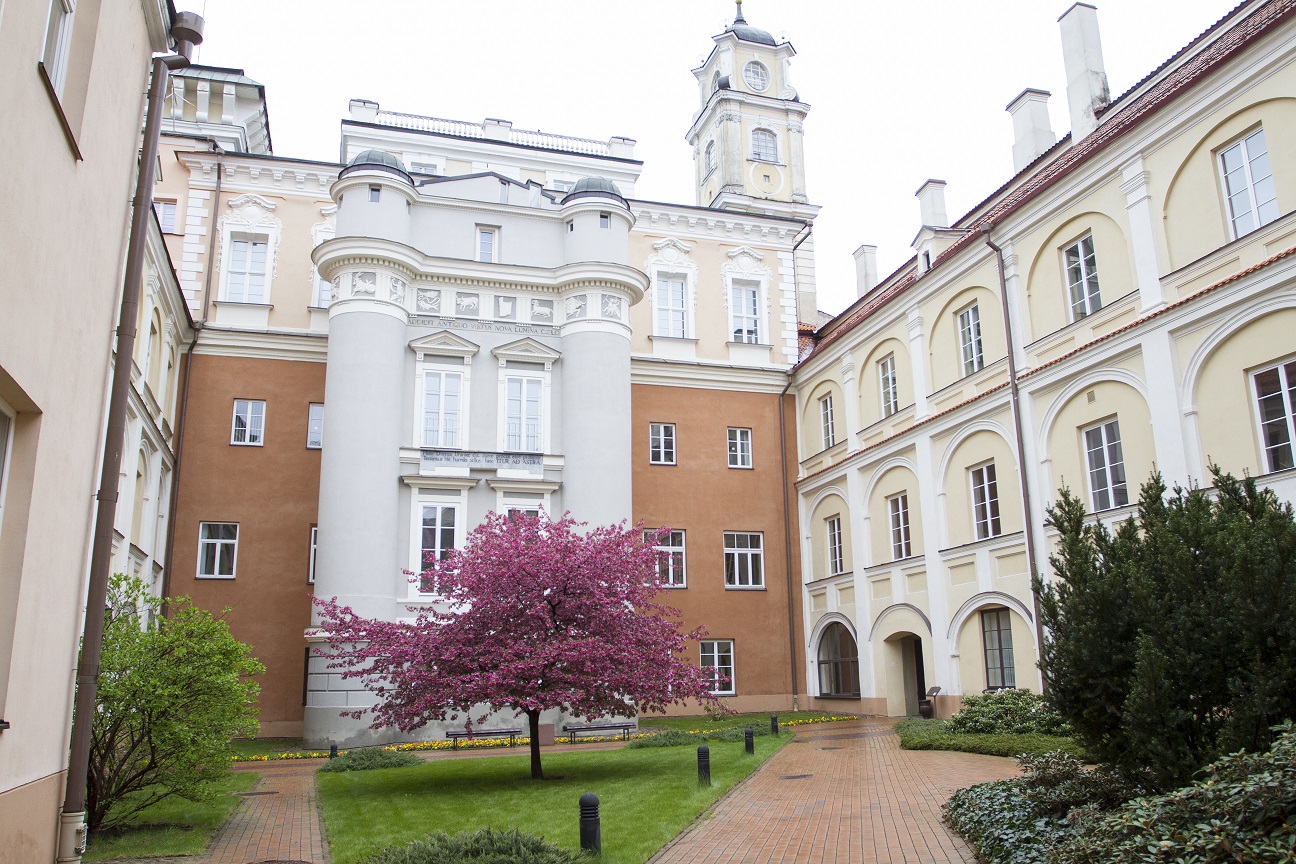
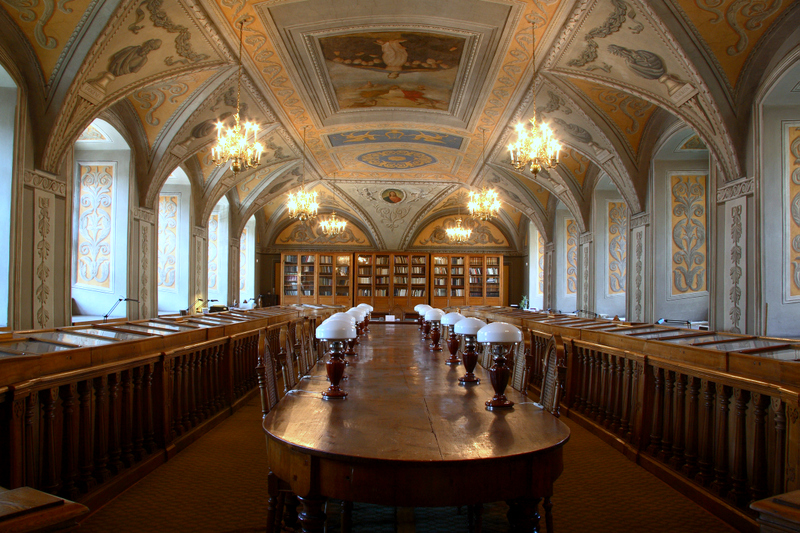
Vilnius University Library, founded in 1570, has remained in its authentic place up to now. Together with all the buildings and courtyards of the old University, it composes a uniform, spectacular and unique architectural ensemble of Vilnius Old Town, representing the history of Lithuanian science and culture progress.
 |
|
 |
If you want to visit the Vilnius University ensemble and the Library you may fill in an electronic order form (ordered tour will be confirmed within 24 hours if the electronic form was filled in on working days or the earliest working day if the electronic form was filled in on weekend) or contact the Library’s Communication and Information Department tel. (+370 5) 268 7103.
Sites shown in a guided tour:
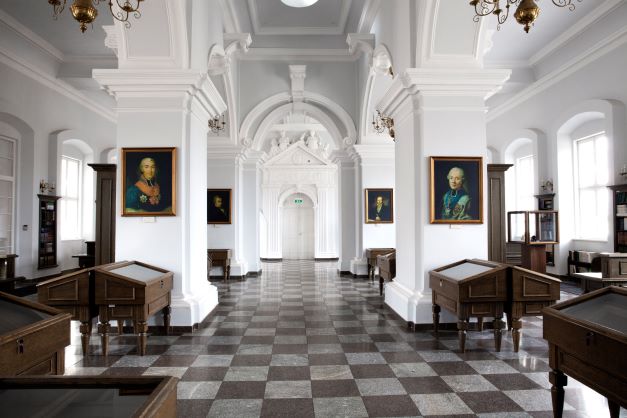
Library and University halls: Franciszek Smuglewicz Hall; Joachim Lelewel Hall; White Hall (Observatory)
University courtyards: Grand; Observatory; Mathias Casimir Sarbievius
Church of Sts. Johns
Faculty of Philology (new interiors).
! Without a tour guide you may visit the representative Franciszek Smuglewicz Hall (Mondays - Thursdays 9 am to 5 pm and Fridays 9 am to 3.45 pm.).
Guided tours can be conducted in Lithuanian, English, Russian and Polish, according to your needs. We conduct guided tours only on weekdays by prior arrangement (Monday to Thursday 9 am to 3 pm, and Friday 9 am to 2 pm).
A tour usually lasts an hour and a half.
Prices:
For adults: 12 € per person.
For schoolchildren and students: 5 € per person.
Please note that the cash desks at the library accept bank card payments only.
Guided tours are not provided for pre-schoolers and children from primary schools.
Guided tours are organized for a group of minimum four persons.
Two persons accompanying groups of up to 30 school children do not have to pay for a tour.
More information about Vilnius University ensemble: Vilnius University architectural ensemble (last update 2004); Virtual Tour of Vilnius University Library (last update 2014).
VU Library mobile app
 By installing VU Library mobile app to your mobile devices you can easily search for and view the availability of library items, view your loaned items and extend active loans, request items, view current fines, receive reminders about expiring loans, access e-shelf and see loans, requested or saved items.
Currently VU Library mobile app is available both to Android software users. The app supports both Lithuanian and English languages.
You can install the app by selecting the following link below:
Android: Download
iOS: Download